Championship Groups
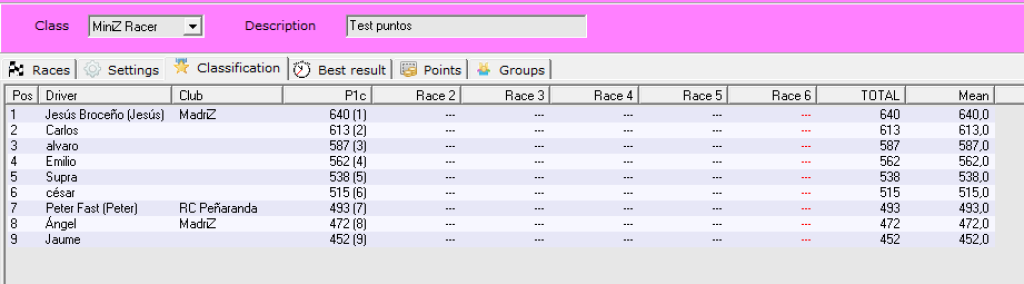
We can define a championship as a set of races of the same class where racers get points based on their final position. By default, a championship has a classification table that shows the points awarded to each racer in each race.
However, you might want the racers to race together in the same event but differentiate them by categories such as: age, driving level, etc. In this way, the same championship would have several configuration tables, one for each category.
To do this, the championship manager allows you to define different groups to which you can register your drivers and the system will allow you to offer both the overall classification and the individual classification by groups.
Championship settings
You can activate the group feature in the championship settings.
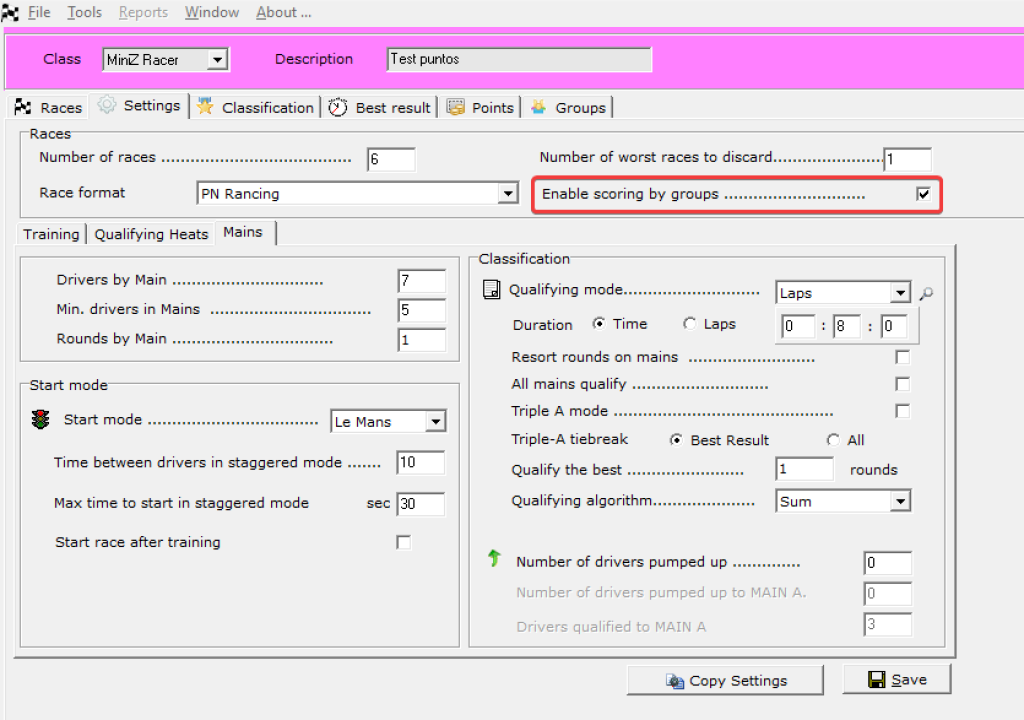
When active, it looks like this:
Once the feature is activated, a new Groups tab will be activated where you can create as many groups as you want.
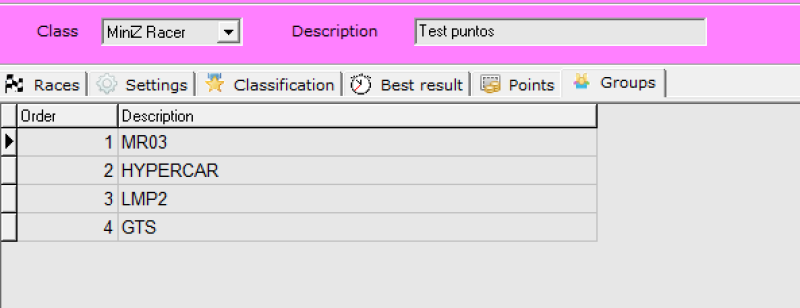
In this case we have created groups by chassis type. The racers will race mixed (different chassis in the same heats and finals) but there will be different scores for each group depending on the chassis.
Set racer's group
When registering racers, the group to which they belong must be indicated.
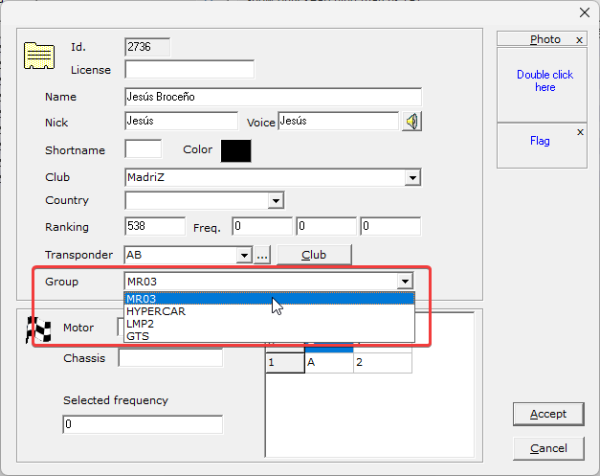
Entries will look like this

Set groups/global classification modes
To see the classification by groups you have the option in the ‘points’ tab.
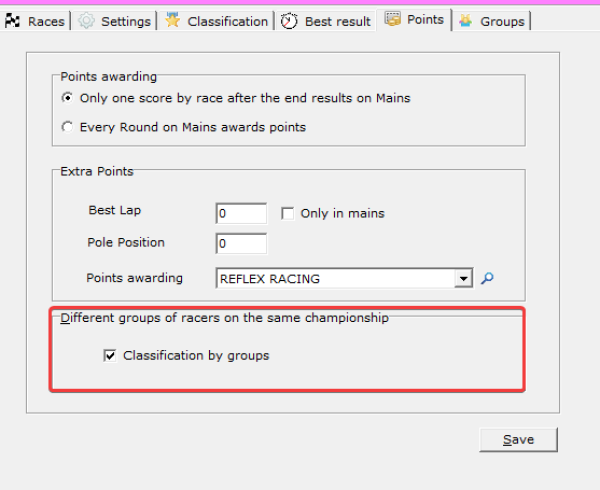
Groups active
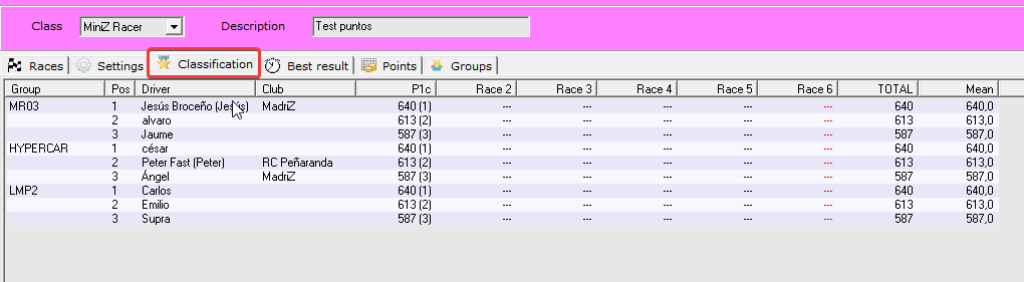
Groups inactive